Free
Forever
- Scan every file
- Detect 40+ PII types
- Detect AI content markers
- 25-country coverage
- Privacy score per file
- All locally
- No account
- No subscription
- No expiration

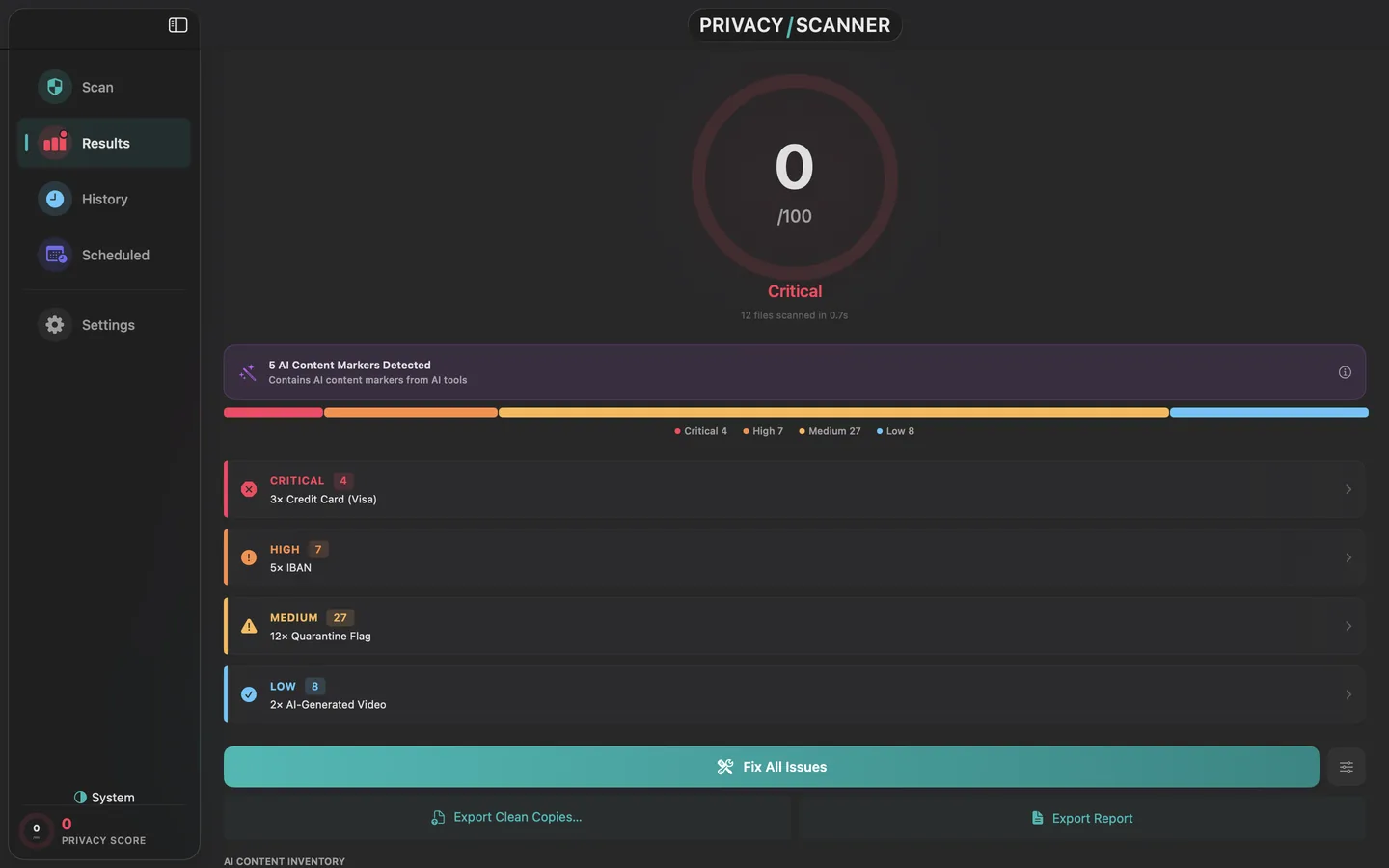
National IDs in documents. GPS in your photos. Your name in the metadata. Privacy Scanner finds it and removes it, entirely on your Mac. Nothing is uploaded.
$9.99
one-time
Most AI generators now embed invisible provenance markers in what they make. "this was made by AI" …in plain text inside the file itself. Privacy Scanner reads them, locally, before you post.
claim_generator: ChatGPT c2pa-rs/0.28.4
title: "image.webp"
format: image/webp
instance_id: xmp:iid:4023…
assertions:
  c2pa.actions:
    action: c2pa.created
    digitalSourceType: …/trainedAlgorithmicMedia
    softwareAgent: "DALL·E"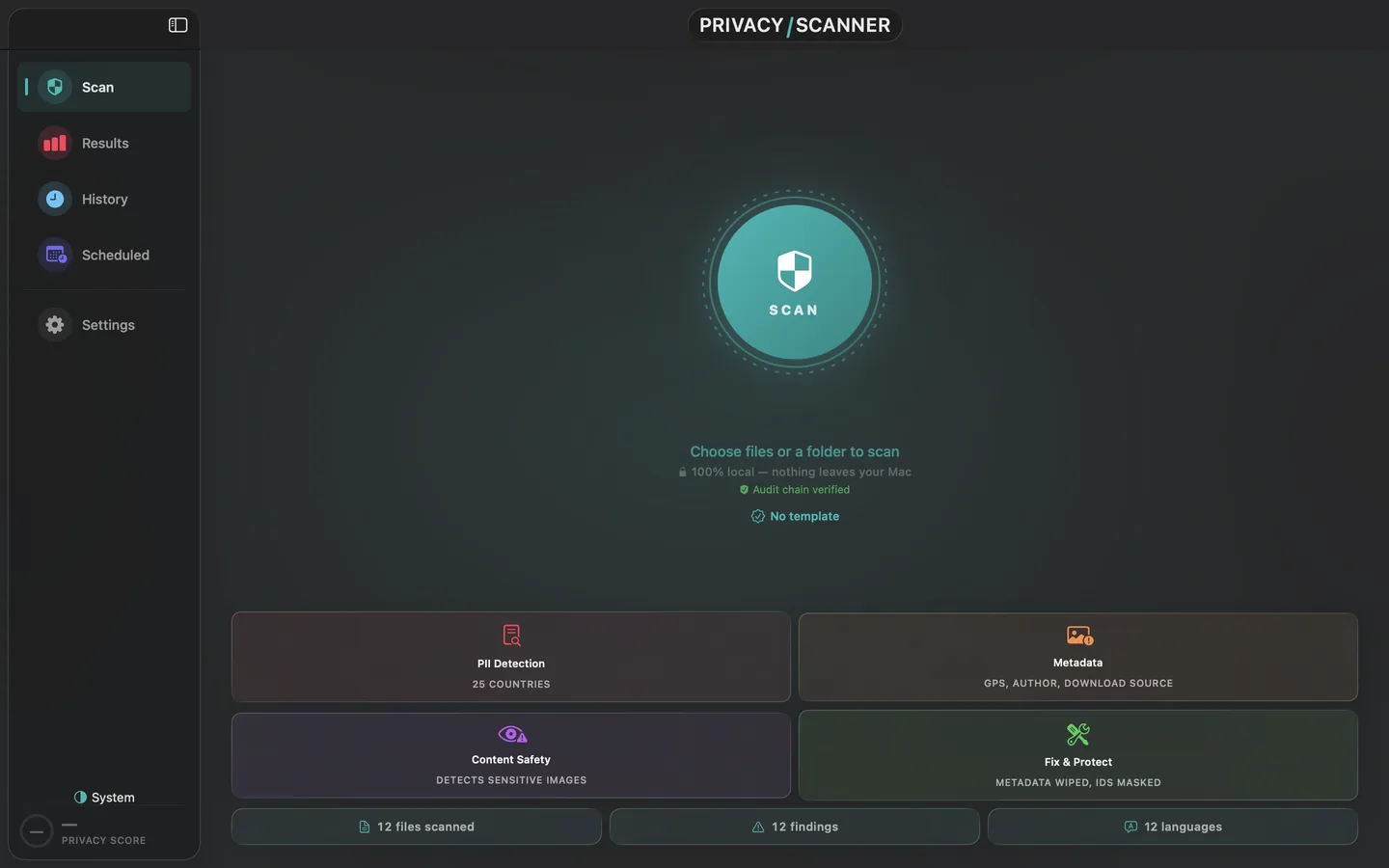
The only native Mac app that reads AI provenance entirely on-device. No browser upload, no cloud service, no exceptions.
What gets found
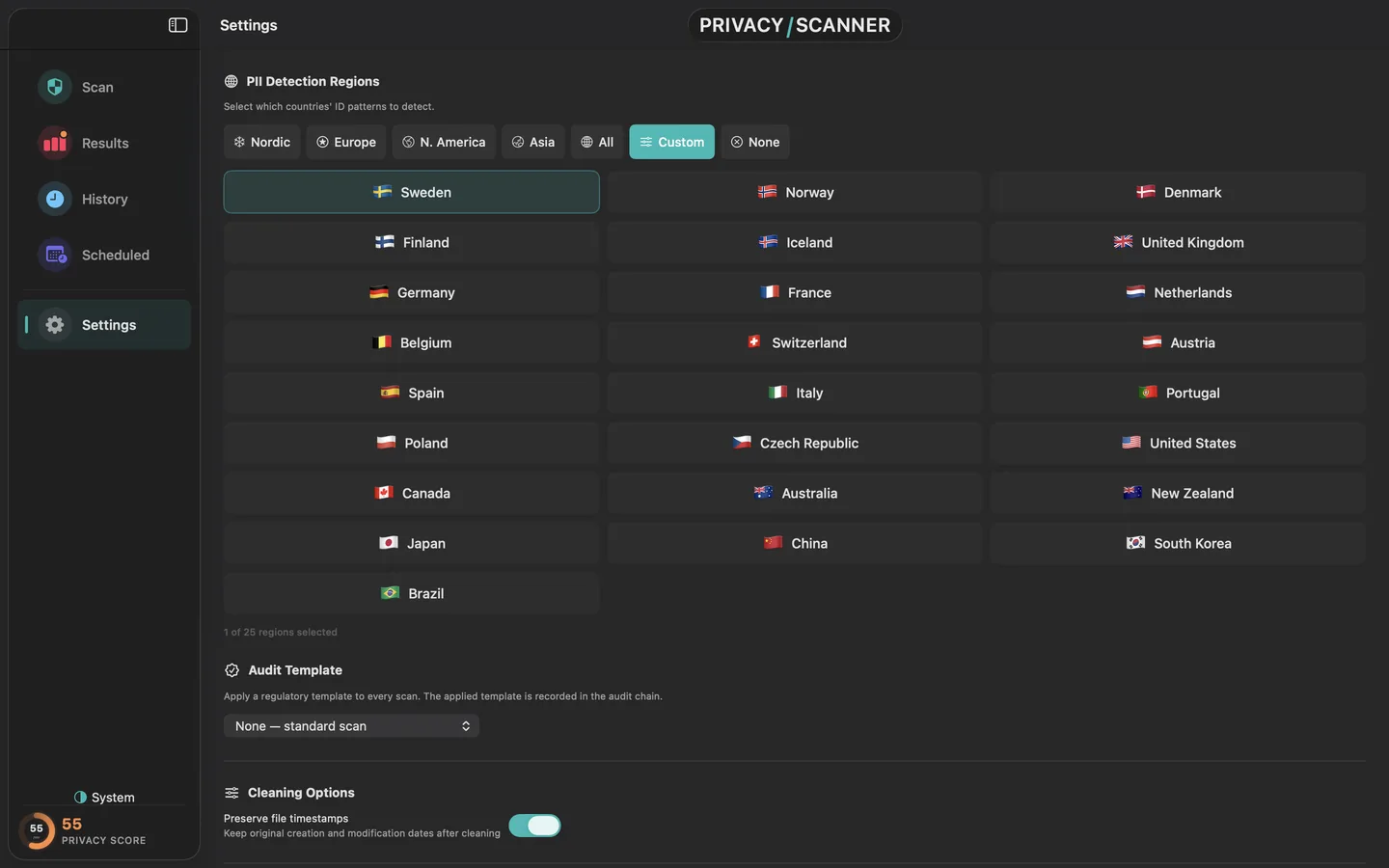
Personally identifying details across 25 countries.
40+ patterns
Hidden technical data files carry, invisible until exported.
EXIF, XMP, IPTC
Content humans would call private, flagged for review.
Configurable
Find → remove → safe to share
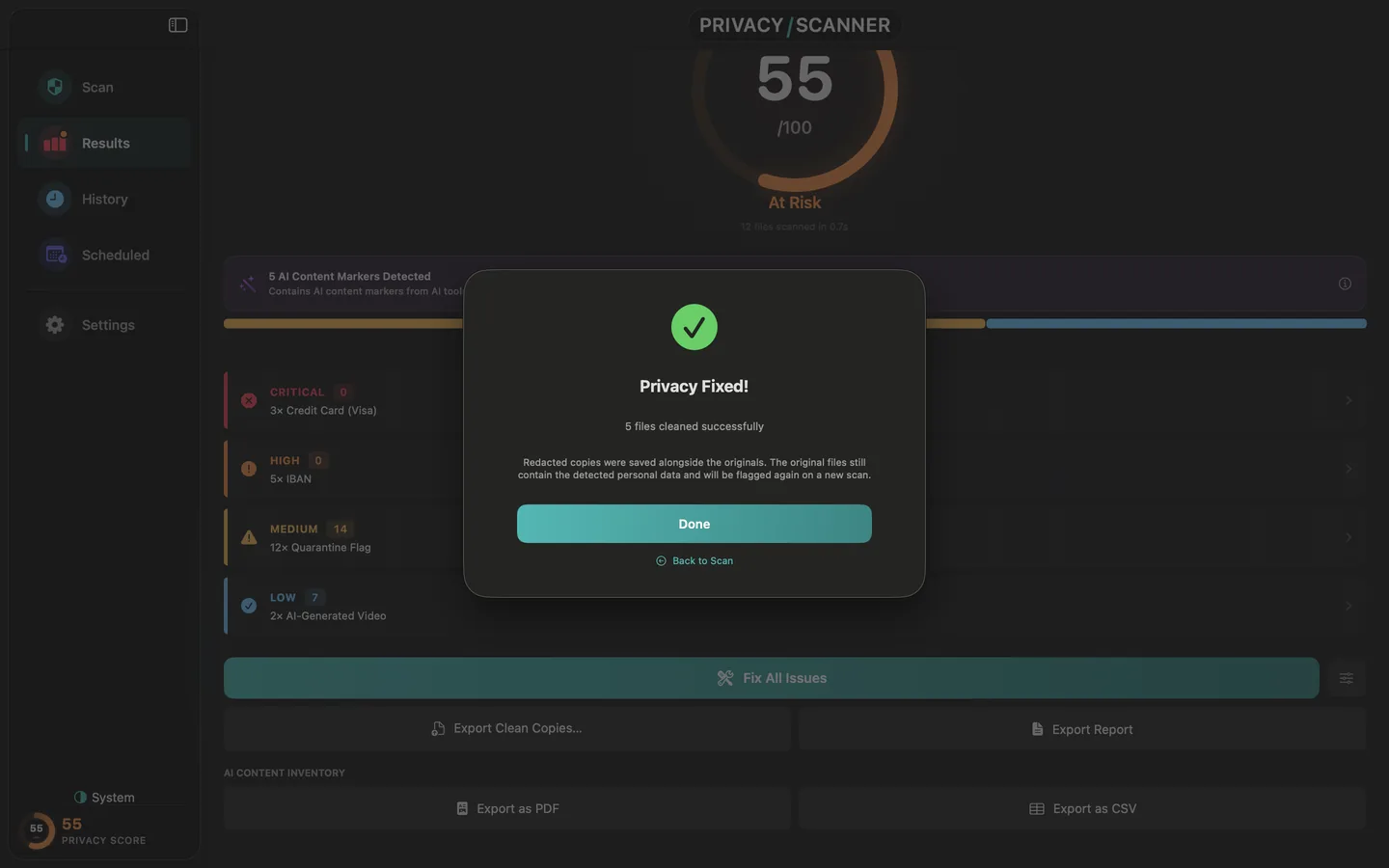
Seeing the GPS in your photo or the ID in your PDF is the easy part. Privacy Scanner takes it out: strips the metadata, redacts the identifiers, and writes a clean copy you can actually share. Your original stays untouched, and nothing ever leaves your Mac.
GPS, camera serial, author and device fields, removed from your images, including WebP, which most tools skip. Same pixels, none of the hidden data.
Names, national IDs and account numbers taken out of PDFs and documents. Not a black box over the text: the data itself is gone, so it can't be copied back out.
Export a sanitized image, PDF or video, byte-verified with nothing left to recover. Sign the report with a key only you hold, and anyone can verify it from the command line.
Then post it, send it, publish it. There's nothing hidden left to find.
Originals are never changed. Nothing is uploaded, every strip, redaction and export runs on your Mac. And "clean" isn't a promise, it's byte-verified, so you can check it yourself.
Scan free. Make it clean for a one-time $9.99.
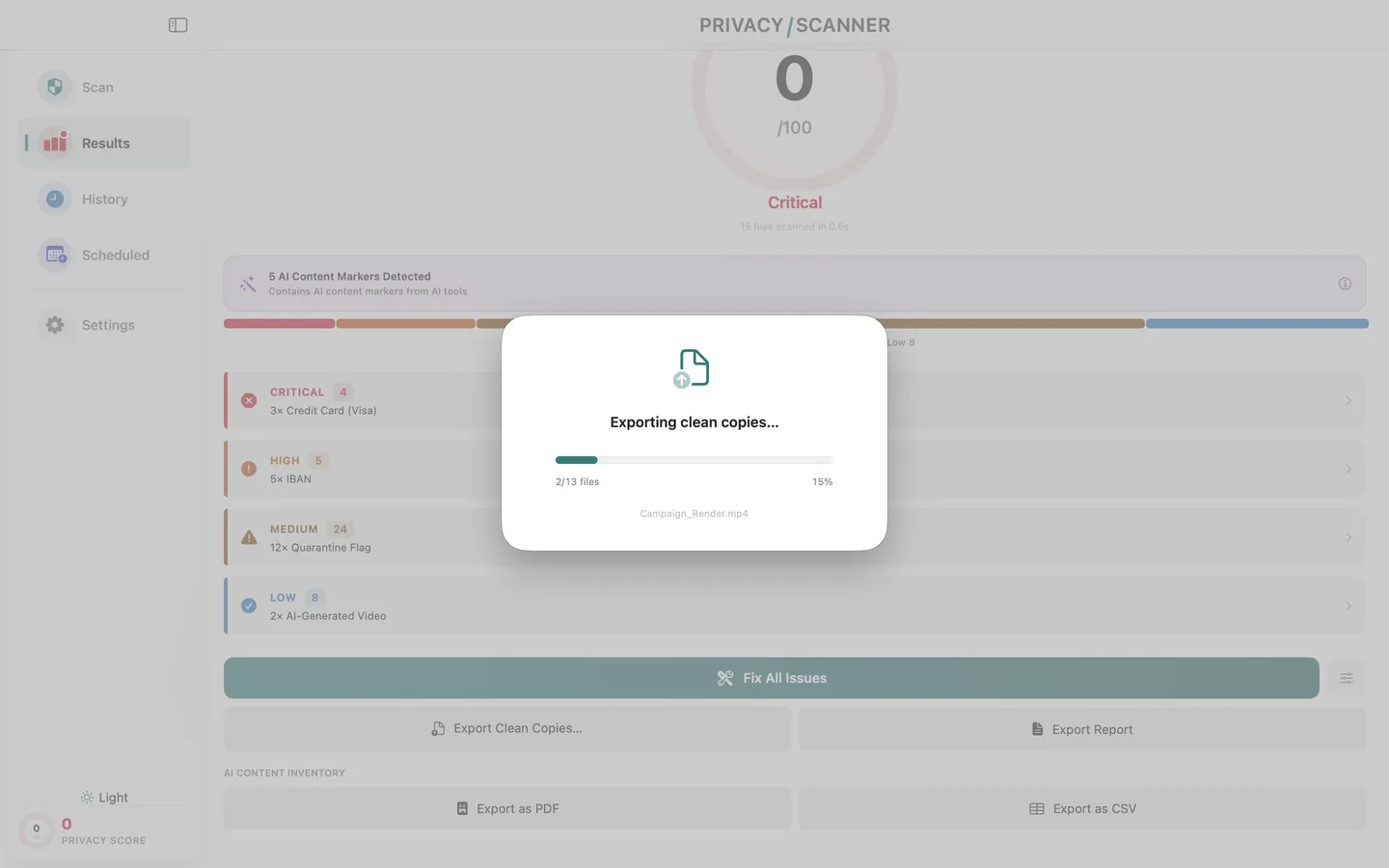
Content Credentials and AI provenance markers are preserved by default. Privacy Scanner reads provenance, it never silently destroys it.
Your privacy score
One-click redaction
Privacy Scanner finds sensitive content, suggests redactions, and applies them, all locally. The file you ship is the file you saw before clicking.
Before
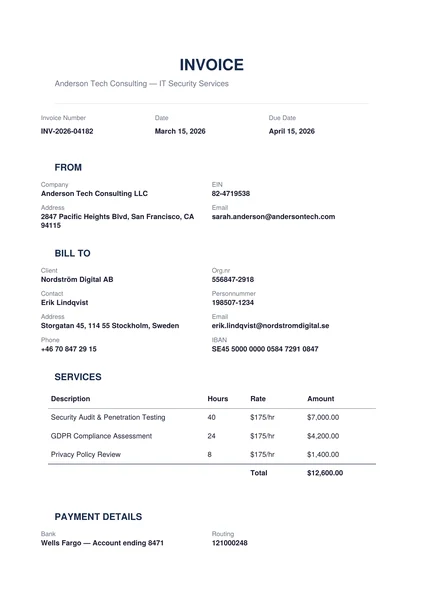
3 PII findings
After
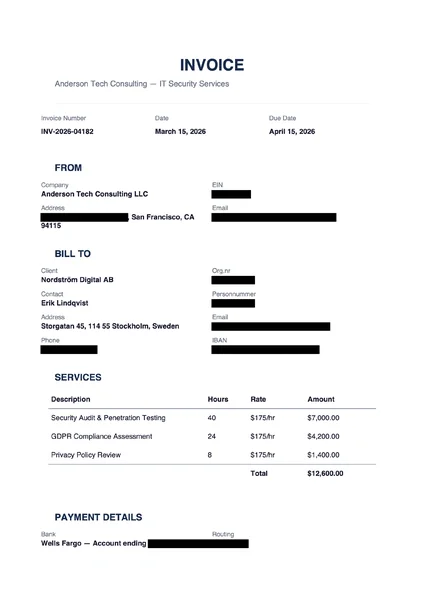
0 PII findings
Before
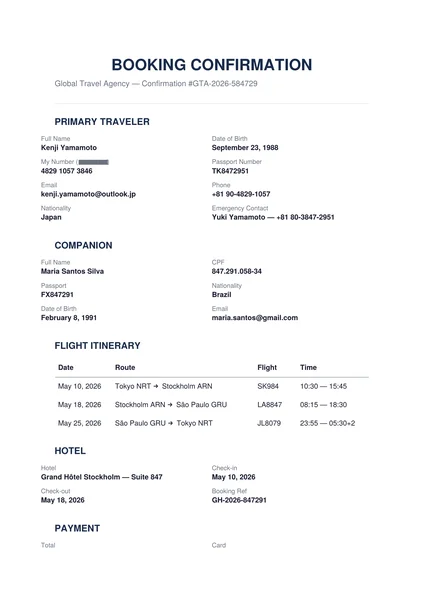
4 PII findings
After
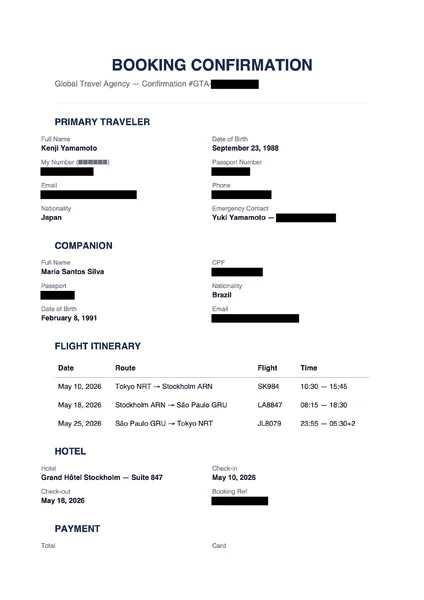
0 PII findings
Want proof? Download a real before and after pair, exactly as the app produced them: Invoice before (with PII) · Invoice after (redacted)
Pricing
Free
Forever
$9.99
One-time
$9.99 USD on the US App Store. Local price set by Apple in your region, same one-time purchase, no recurring billing.
How it stays private
Privacy Scanner runs entirely on your device. It has no network entitlement, the macOS sandbox literally prevents it from reaching the internet. Every scan, every score, every redaction happens between you and your file.
Nothing to sign up for. Your files never leave the device, so there's nothing to attach a name to.
No analytics SDK, no crash reports, no usage pings. Verifiable in Console.app's process inspector.
macOS sandbox blocks outbound connections. Verifiable in Activity Monitor.
Privacy Scanner is published independently from PrivacyScan, SecureMac PrivacyScan, and other similarly-named products. App Store ID 6761814576. Bundle ID com.clarityapp.PrivacyScanner.
Don't take our word for it.
This is a real report Privacy Scanner exported, signed with a key that never left the Mac's Keychain. Download it and verify the signature yourself, with tools already on your machine. If a single byte changes, the check fails.
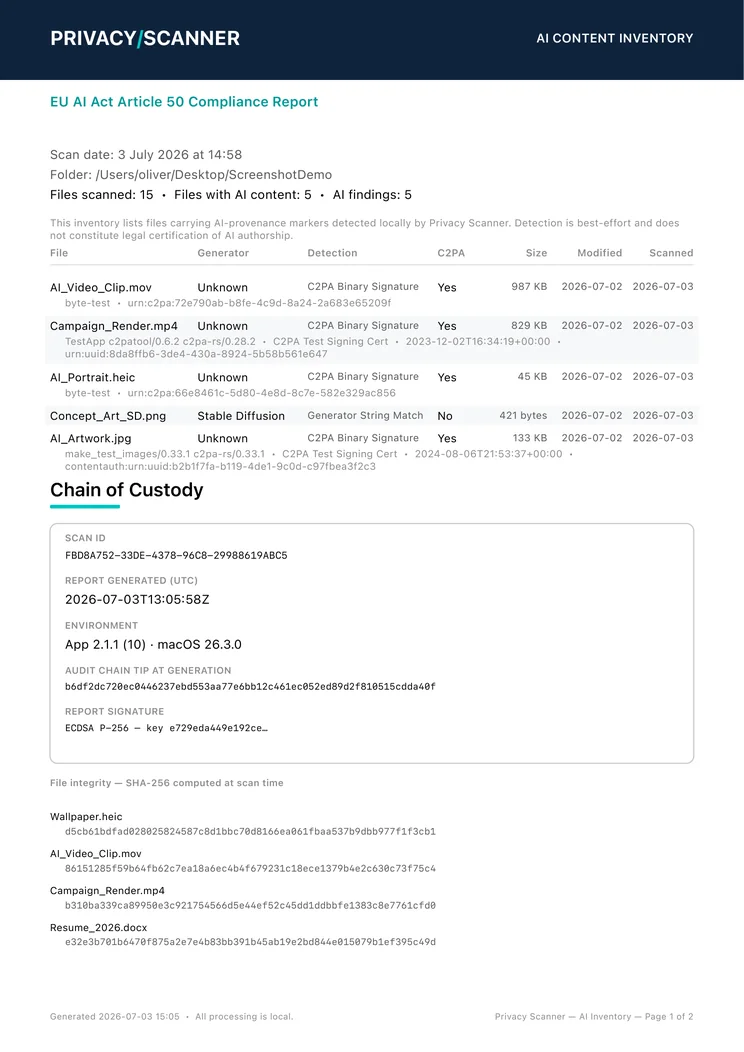
Download the proof kit (zip, 32 KB)
openssl dgst -sha256 -verify Privacy-Scanner-Signing-Key.pem \
    -signature Privacy-Scanner-AI-Inventory_2026-07-03_150558.pdf.sig \
    Privacy-Scanner-AI-Inventory_2026-07-03_150558.pdf
The command prints Verified OK. Full step-by-step instructions ship inside the kit.
What Privacy Scanner will never do
Built for EU AI Act Article 50 workflows and GDPR Articles 25 and 32 by design. Privacy Scanner is a tool for compliance work, not a certification.